
As digital dentistry advances, precision remains critical.
FineTune Print Matrix helps dental laboratories achieve a reliable and reproducible fit for Medentika CADCAM-CS analogs in 3D printed models.
Different printers, materials, and settings often lead to variations in analog fit - resulting in adjustments, remakes, and inefficiencies. FineTune addresses this with a simple calibration approach.
FineTune Print Matrix
precise fit for every 3D printed model
The solution: calibrate once, produce with confidence
FineTune Print Matrix enables you to define the optimal offset for your specific 3D printing setup -ensuring consistent results across your workflow.
Key benefits
- Predictable analog fit
- Reduced manual adjustments
- Lower remake rates
- Improved workflow efficiency
- Standardized model production
- Consistent results across cases
How it works
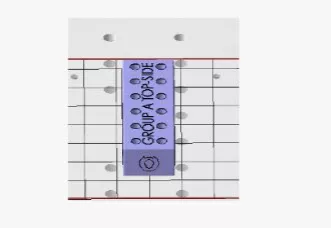
1. Import the STL file
Select the correct STL file and import it into your printing software.
Ensure proper orientation: “GROUP A TOP-SIDE” facing upwards.
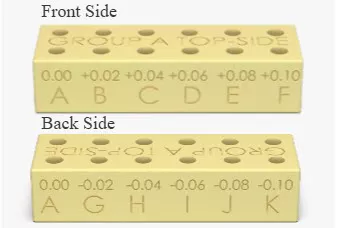
2. Print and test the fit
After printing, insert analogs into the matrix.
Each position represents a defined offset (positive and negative).
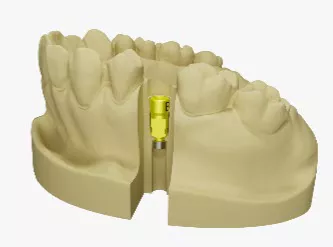
3. Apply the offset
Use the identified value in your CAD/CAM workflow or printer settings.
When to recalibrate
- Changing print material
- Switching printers
- Adjusting print parameters
- Updating workflows
Precision made simple
With FineTune Print Matrix, you standardize your workflow, improve model accuracy, and reduce rework. Calibrate once - and produce with confidence.